Knee Osteoarthritis Detection using Matlab
Learn how to detect knee osteoarthritis (OA) using MATLAB! This guide covers image processing, feature extraction, and classification techniques. Start your ...
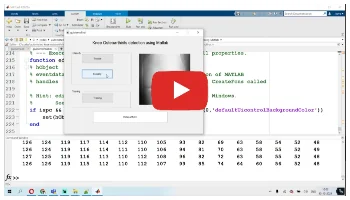
Project Methodology & Algorithm Details
Detecting knee osteoarthritis (OA) using Matlab involves several steps that typically include image acquisition, preprocessing, feature extraction, and classification. Below is a general workflow for detecting knee osteoarthritis using Matlab:
-
Image Acquisition:
- Obtain knee joint images (X-rays, MRI, or CT scans) from medical datasets or clinical sources.
-
Preprocessing:
- Convert images to grayscale if they are in color.
- Resize images to a uniform size for consistency.
- Apply filtering techniques (e.g., Gaussian filter) to reduce noise.
- Enhance contrast using histogram equalization or other techniques.
-
Segmentation:
- Segment the region of interest (ROI), which is the knee joint area. This can be done using thresholding, edge detection (e.g., Canny), or more advanced techniques like active contours (snakes).
-
Feature Extraction:
- Extract relevant features that can help in identifying osteoarthritis. Common features include:
- Texture features (e.g., Haralick features, Local Binary Patterns).
- Shape features (e.g., contours, morphological properties).
- Statistical features (e.g., mean, standard deviation).
- Optionally, use Principal Component Analysis (PCA) or other dimensionality reduction techniques to reduce the feature space.
- Extract relevant features that can help in identifying osteoarthritis. Common features include:
-
Classification:
- Use machine learning algorithms to classify the images as OA or non-OA. Common classifiers include:
- Support Vector Machine (SVM).
- k-Nearest Neighbors (k-NN).
- Random Forest.
- Neural Networks.
- Use machine learning algorithms to classify the images as OA or non-OA. Common classifiers include:
-
Evaluation:
- Evaluate the performance of the classifier using metrics such as accuracy, precision, recall, and F1-score. Use cross-validation to ensure robustness.
Need the Complete Source Code & Report for This Project?
Get fully documented code, dataset, and step-by-step guidance before your academic deadline.
Customize This Project
Direct review by PhD Lead Engineer
Related Project Demos



Need Custom Engineering Code?
Our PhD engineers provide complete MATLAB/Simulink projects with verified test cases and IEEE reports.
Order Project Solution →